03 — The view
The workspace
Four working zones, each independently scrollable, each retaining state when you swap layers.
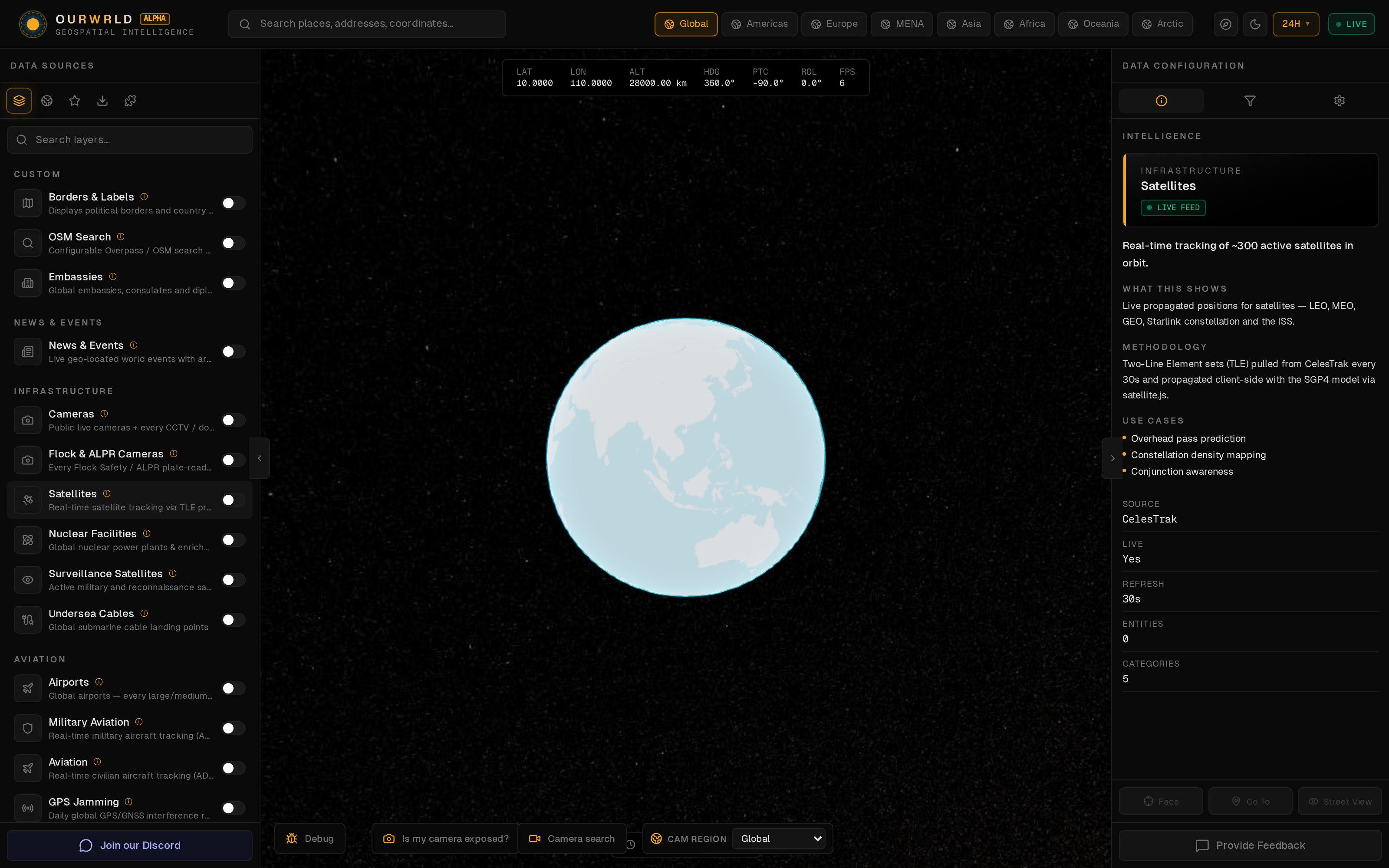
Left — Layer registry
Toggleable layers grouped by domain (Aviation, Conflict, Infrastructure, Cyber…). Each layer exposes a color picker, density slider, and region filter.
Center — Globe
Cesium 3D Earth with depth occlusion, atmosphere, dynamic lighting and on-demand imagery layers. Click any entity to inspect.
Right — Inspector
Context-aware panel that swaps between Entity Detail, Camera Viewer, Street View, Flight Lookup, IP Lookup and Methodology depending on what's selected.
Top — Time & Globals
Time-range filter (1h → 30d), Time Machine playback scrub, debug telemetry, region selector, and the global aviation cap.
OURWRLDtime range · time machine · region · debug
Layers
▣ Aviation
▣ Conflict
▢ Satellites
▣ Cyber
▢ Cameras
+ color · density · region
Cesium 3D Earth
Inspector
↳ Entity detail
↳ Camera viewer
↳ Street View
↳ Flight lookup
↳ Methodology
ourwrld / documentation